

Run Docker commands
Use the remote Docker environment to build Docker images within the Docker execution environment.
When you use remote Docker for a job, all Docker commands execute locally on the virtual machine used to spin up your primary Docker container.
| The remote in "remote Docker" is a legacy term from when remote Docker usage would spin up a separate, remote environment for running Docker commands. |
Introduction
To build Docker images (for example, using docker or docker compose commands) when using the Docker execution environment, you must use the setup_remote_docker key in your job:
| Using Docker? Authenticating Docker pulls from image registries is recommended when using the Docker execution environment. Authenticated pulls allow access to private Docker images, and may also grant higher rate limits, depending on your registry provider. For further information, see Using Docker Authenticated Pulls. |
jobs:
  build:
    docker:
      - image: cimg/base:2022.06
    steps:
      # ... steps for building/testing app ...
      - setup_remote_docker
Using setup_remote_docker for a job means that all Docker commands execute locally on the same virtual machine that spins up the primary container.
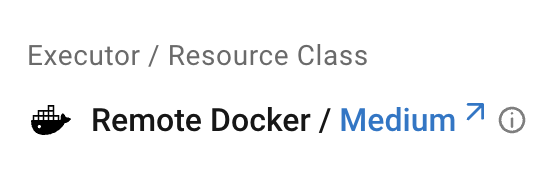
In the CircleCI web app, jobs that run in the remote Docker environment have the Remote Docker label, as follows:
Only use setup_remote_docker key for jobs where your primary executor is a Docker container. If your job uses a VM rather than a container (for example, your executor is machine) you do not need to use the setup_remote_docker key. For an example, see Run Docker commands using the machine executor.
|
Specifications
Contact your system administrator for the remote Docker specifications for your installation.
Run Docker commands using the Docker executor
The example below shows how you can build and deploy a Docker image for our demo Docker project using the Docker executor, with remote Docker:
version: 2.1

jobs:
  build:
    docker:
      - image: cimg/go:1.17
    resource_class: xlarge
    steps:
      - checkout
      # ... steps for building/testing app ...

      - setup_remote_docker:
          docker_layer_caching: true

      # build and push Docker image
      - run: |
          TAG=0.1.$CIRCLE_BUILD_NUM
          docker build -t CircleCI-Public/circleci-demo-docker:$TAG .
          echo $DOCKER_PASS | docker login -u $DOCKER_USER --password-stdin
          docker push CircleCI-Public/circleci-demo-docker:$TAG
Below is a breakdown of what is happening during this build’s execution:
-
All commands execute in the Primary Container. (line 5).
-
Once you call
setup_remote_docker, all Docker-related commands execute locally. (line 12). -
Enable Docker Layer Caching (DLC) to speed up image building. (line 13).
-
We use Set an Environment Variable in a Project to store credentials for Docker Hub. (line 19).
Install the Docker CLI
CircleCI Convenience Images have the Docker CLI pre-installed. If you are using a third-party image that does not have the Docker CLI installed, you need to install it as part of your job.
      # Install via apk on alpine based images
      - run:
          name: Install Docker client
          command: apk add docker-cli
Specify a Docker version for remote Docker
The version key for setup_remote_docker is not supported on CircleCI Server. Contact your system administrator for information about the Docker version installed in your remote Docker environment.
Run Docker commands using the machine executor
The example below shows how you can build a Docker image using the machine executor with the default image. Note that this does not require the use of remote Docker:
version: 2.1

jobs:
  build:
    machine:
      image: ubuntu-2604:current
    steps:
      - checkout
      # start proprietary DB using private Docker image
      # with credentials stored in the UI
      - run: |
          echo "$DOCKER_PASS" | docker login --username $DOCKER_USER --password-stdin
          docker run -d --name db company/proprietary-db:1.2.3

      # build the application image
      - run: docker build -t company/app:$CIRCLE_BRANCH .

      # deploy the image
      - run: docker push company/app:$CIRCLE_BRANCH
Prefer same-region image pulls
When you set prefer_same_region to true, CircleCI attempts to pull the image from the same region as the VM on a best-effort basis. If the same-region pull fails, it falls back to pulling from the image’s original region.
      - setup_remote_docker:
          prefer_same_region: true