

Status updates overview
CircleCI reports the status of your pipelines back to GitHub. This lets you see the progress and results of your CircleCI jobs and workflows without leaving GitHub.
Introduction
CircleCI reports a commit status update for each job, for every commit. You can disable commit status updates in the CircleCI web app by navigating to and setting VCS Status Updates to off.
Commit status updates
Commit status updates are the default way CircleCI reports pipeline status to GitHub. CircleCI reports one commit status for each job.
Where commit status updates appear
When a pipeline is triggered in CircleCI, status information is sent back to your VCS. Commit status updates appear in the following locations:
-
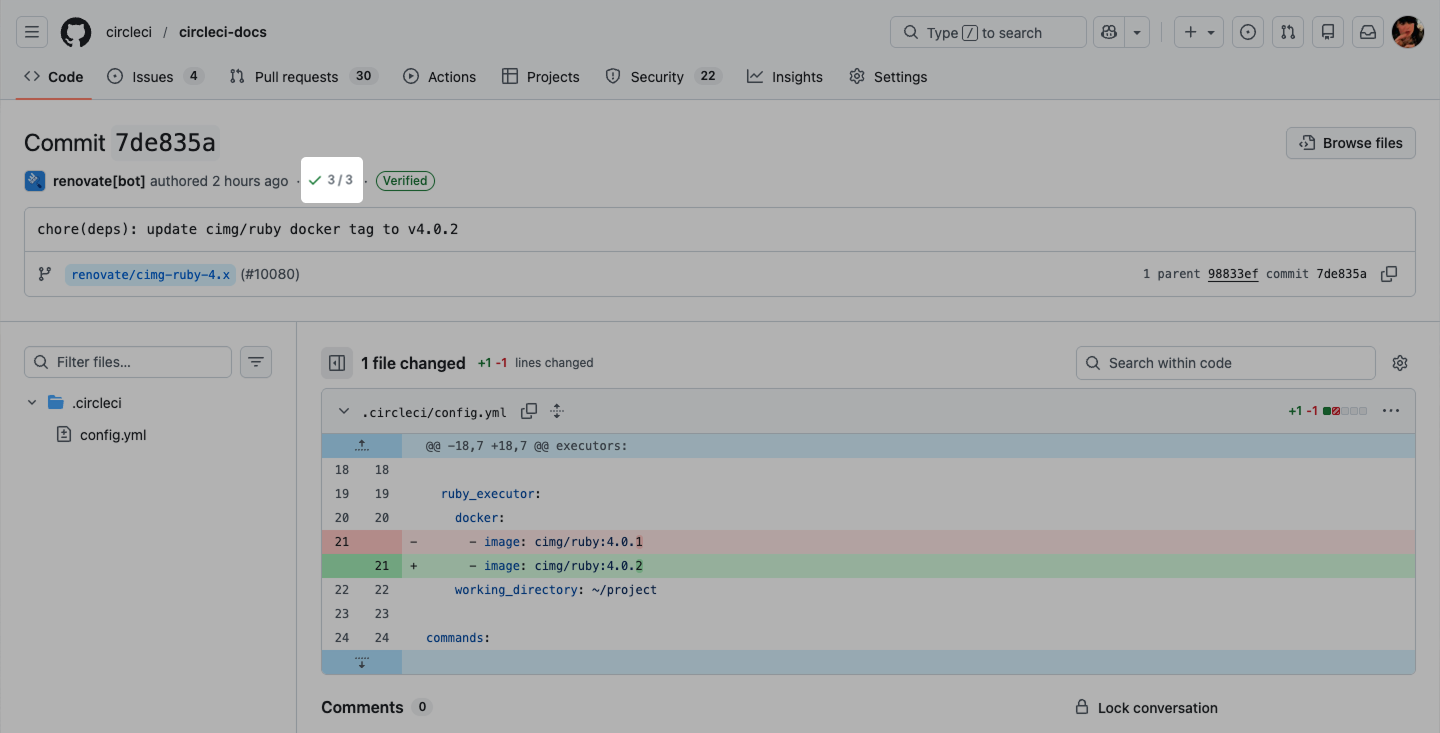
In pull requests when viewing an individual commit.
-
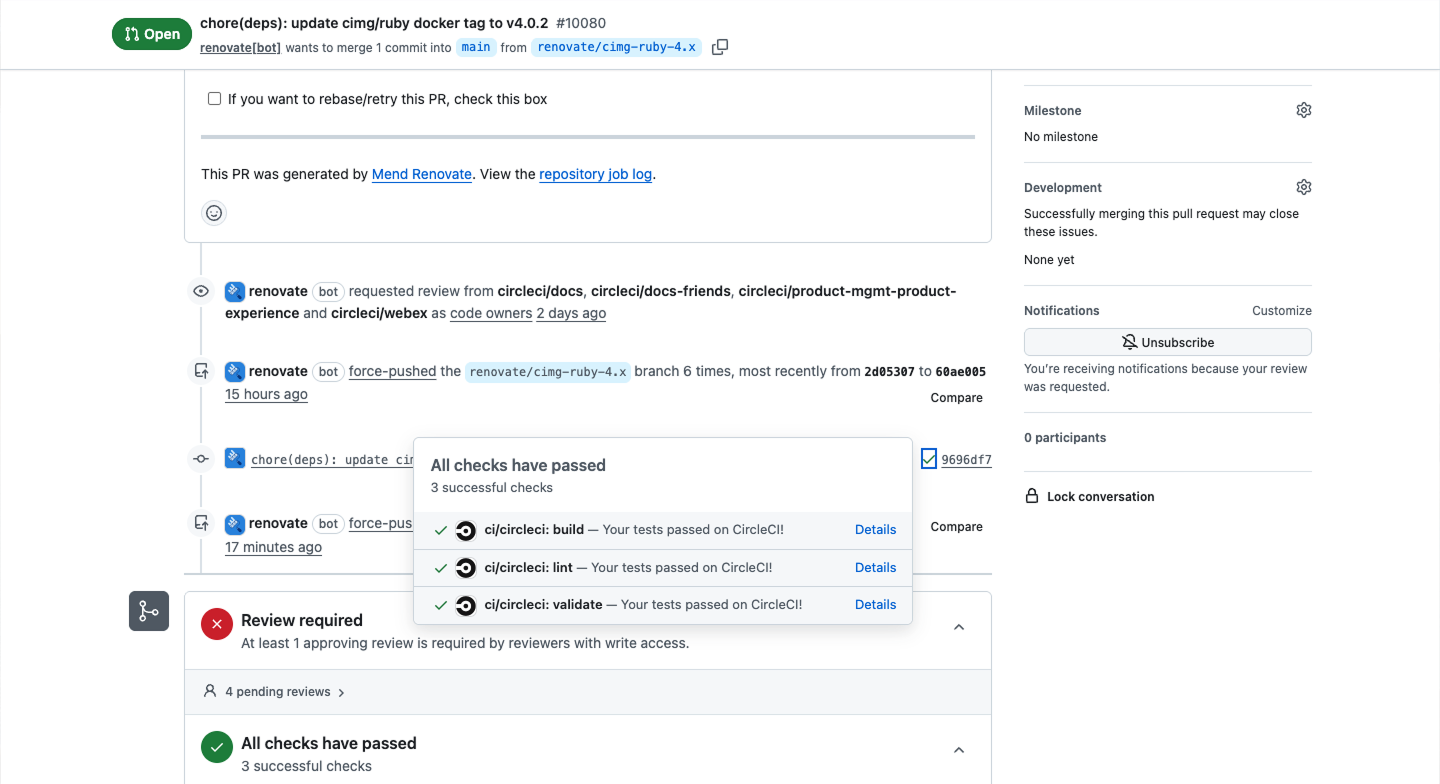
Next to individual commits in a pull/merge request conversation view.
-
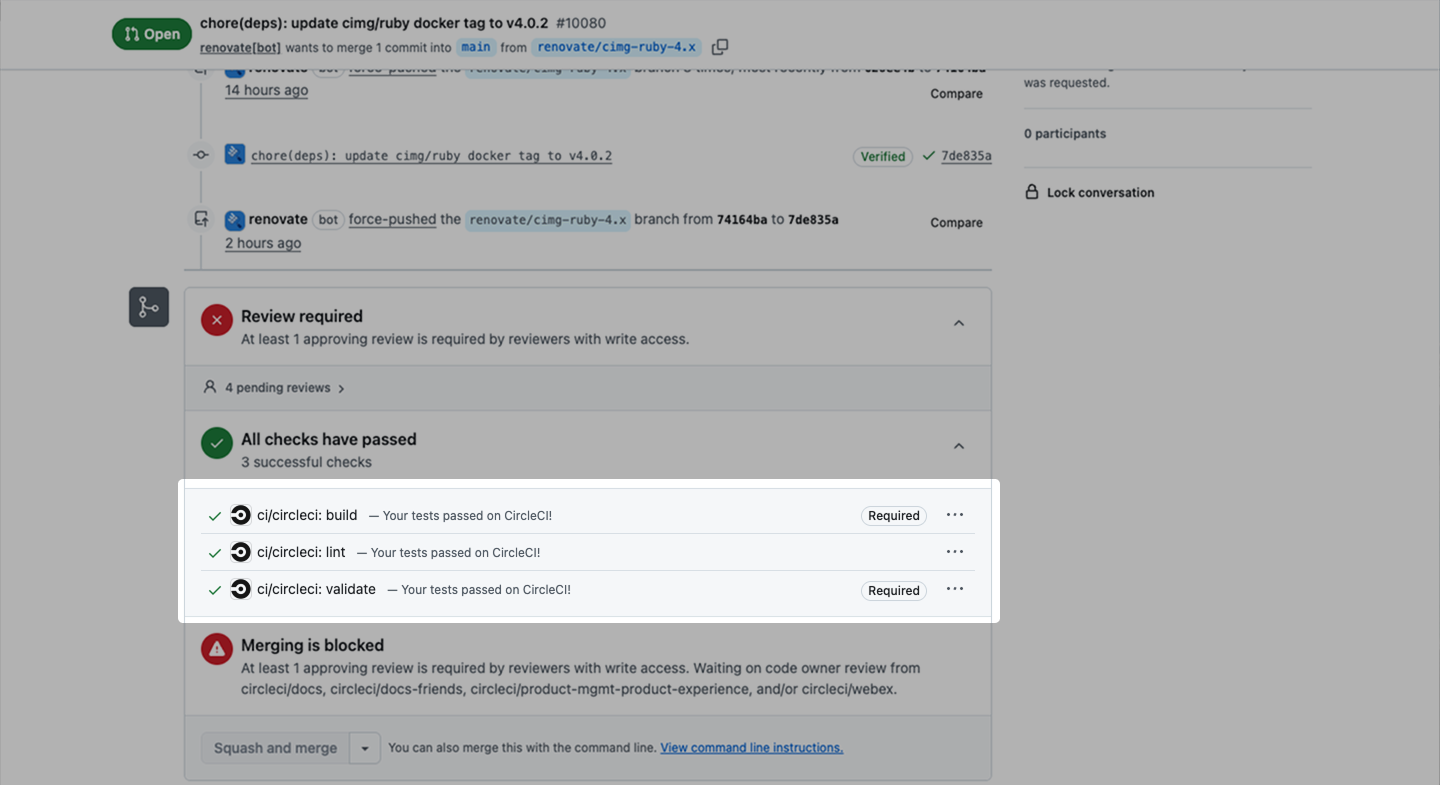
At the end of a pull/merge request.
The following images show where to find commit status updates in GitHub.
-
Status updates in PR
-
Commit status
-
Commit status in PR
Commit status update naming
CircleCI displays commit status updates differently depending on the job type.
Regular jobs display using the following format:
-
Format:
ci/circleci: <job_name> -
Example:
ci/circleci: build -
Example:
ci/circleci: rspec
Approval jobs and no-op jobs display using the following format:
-
Format:
ci/circleci: <workflow_name>/<job_name> -
Example:
ci/circleci: build_and_deploy/approval-deploy -
Example:
ci/circleci: build_and_deploy/no-op-job
The workflow name prefix for approval and no-op jobs provides additional context. These jobs typically require manual intervention or represent conditional workflow states. Regular jobs that run automatically do not require this additional context.
| Need to find the workflow for a regular job? Click through to the CircleCI dashboard. The full workflow context is visible there. |
Disable commit status updates
To disable commit status updates in the CircleCI web app:
-
In the CircleCI web app, select your org from the org cards on your user homepage.
-
Select Projects from the sidebar and locate your project from the list. You can use the search to help.
-
Select the ellipsis

 next to your project and select Project Settings.
You can also access project settings from each project overview page using the Settings button. -
Select Advanced Settings.
-
Set VCS Status Updates to
off.
You can re-enable commit status updates by setting VCS Status Updates to on.
| The VCS Status Updates setting affects GitHub commit status updates. |