

Concurrency
This page summarizes concurrency and suggests ways to use concurrency to your advantage.
In CircleCI, concurrency refers to utilizing multiple containers to run multiple jobs at the same time. Concurrency differs from CircleCI parallelism, which is test-splitting across multiple containers. If you would like information on parallelism, visit the Running Tests in Parallel page.
Your system administrator sets concurrency on CircleCI Server.
Concurrency
Within CircleCI, concurrent jobs can be classified as one of two categories:
-
Multiple running jobs configured in a single workflow.
-
Multiple workflows running by multiple members within the organization.
This page discusses the first point and will provide examples of how to configure concurrent jobs in a single workflow. Configuring concurrency in a workflow allows multiple jobs to be run at the same time, in a single workflow, through the use of multiple containers.
Concurrency in workflows
To run a set of concurrent jobs, you will need to add a workflows section to your existing .circleci/config.yml file.
The simple example below shows the default workflow orchestration with two concurrent jobs. The workflows key needs to have a unique name. In this example, the unique name is build_and_test. The jobs key is nested under the uniquely named workflow, and contains the list of job names. Since the jobs have no dependencies, they will run concurrently.
| Using Docker? Authenticating Docker pulls from image registries is recommended when using the Docker execution environment. Authenticated pulls allow access to private Docker images, and may also grant higher rate limits, depending on your registry provider. For further information, see Using Docker Authenticated Pulls. |
version: 2.1

jobs:
  build:
    docker:
      - image: cimg/base:2024.02
    steps:
      - checkout
      - run: <command>
  test:
    docker:
      - image: cimg/base:2024.02
    steps:
      - checkout
      - run: <command>
workflows:
  build_and_test:
    jobs:
      - build
      - test
Fan-out/fan-in workflow example
A more complex example runs a common build job, then fans out to run a set of acceptance test jobs concurrently. It then fans in to run a common deploy job. This flow is illustrated below.
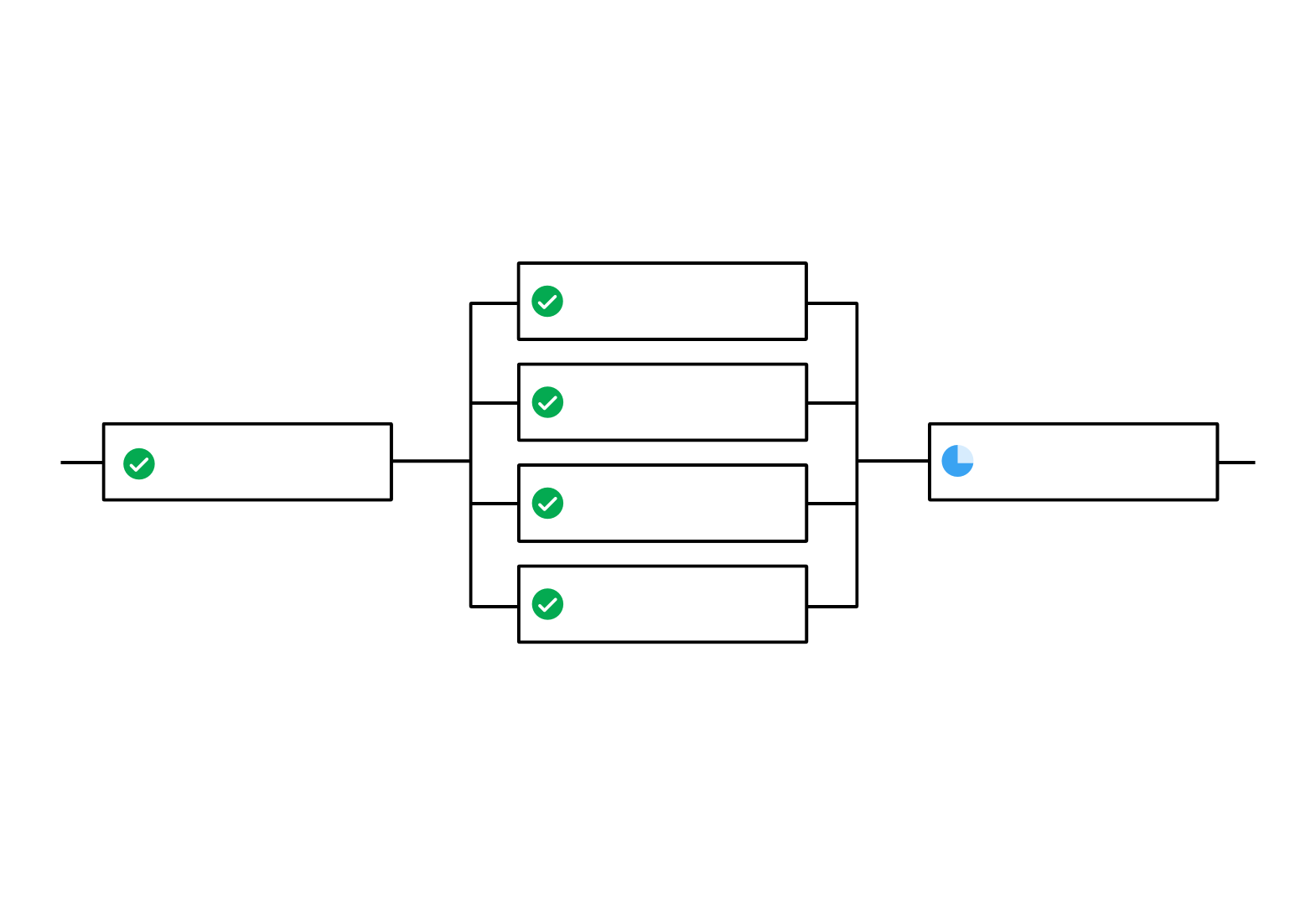
The .circleci/config.yml snippet below is an example of a workflows section configured for fan-out/fan-in job execution. In this example, as soon as the build job finishes successfully, all four acceptance test jobs start. The deploy job must wait for all four acceptance test jobs to complete successfully before it starts.
...
workflows:
  build_accept_deploy:
    jobs:
      - build
      - acceptance_test_1:
          requires:
            - build
      - acceptance_test_2:
          requires:
            - build
      - acceptance_test_3:
          requires:
            - build
      - acceptance_test_4:
          requires:
            - build
      - deploy:
          requires:
            - acceptance_test_1
            - acceptance_test_2
            - acceptance_test_3
            - acceptance_test_4
...