

Stop building a project on CircleCI
Introduction
This page outlines how to stop builds for a project on CircleCI.
For how this option fits with Block all new work, cancelling running workflows, and follower behavior during an incident, see Pause or Stop Pipelines During an Incident.
Stop building a project
| The Stop Building option does not automatically remove all project data from the CircleCI databases. |
| Stop Building removes all project followers, cancels all running workflows in the background, and removes VCS integration (webhook and deploy key). If you only want to prevent new pipelines while keeping the project connected and letting in-progress workflows finish, use Block All New Work in Advanced project settings instead. |
If you are using the GitHub OAuth App, Bitbucket Cloud, or CircleCI Server, to stop building one of your projects on CircleCI, follow these steps:
-
Go to the Project Settings page in the CircleCI web app for the project you want to stop.
-
Scroll to the bottom of the Overview page and select Stop Building. You will need to reconfirm your choice in the popup.
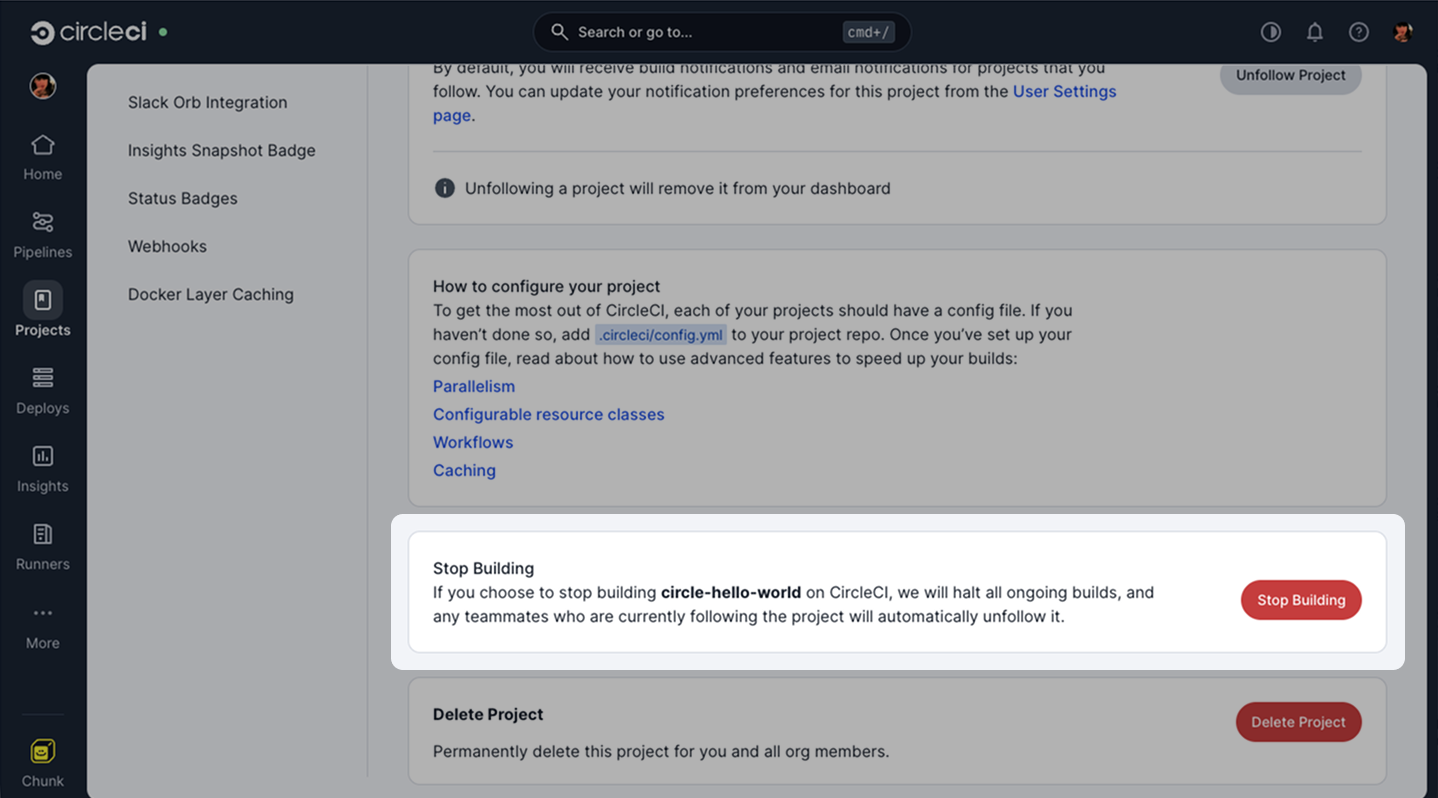
Figure 1. Stop Building button in Project settings > Overview
| If you want to start building this project again, just go to the Projects page in the web app and select Set Up Project and follow the set up steps. |