

Integrate with Vantage for cost management
Vantage provides cost tracking and usage reporting for CircleCI, allowing you to monitor CI/CD spending alongside your cloud infrastructure and SaaS tools in a centralized platform. The integration automatically imports your CircleCI usage data and converts credits into USD-based cost reports.
Introduction
Vantage obtains your CircleCI usage data through the CircleCI Usage Export API. The Vantage integration enables you to:
-
Track CircleCI credit consumption and costs in a unified cost management platform.
-
Filter and group costs by organization, project, resource class, and job name.
-
Allocate CI/CD expenses to teams using Virtual Tags.
-
Identify usage anomalies and spending trends.
-
Correlate CircleCI cost changes with related infrastructure shifts.
Vantage automatically imports up to six months of historical data when you first connect, with ongoing imports following your configured retention settings.
This guide provides instructions for connecting CircleCI to Vantage and configuring cost tracking and allocation. You can also read Vantage’s docs on connecting Vantage to CircleCI.
Prerequisites
Before setting up the Vantage integration, ensure you meet the following requirements:
-
CircleCI organization administrator permissions:
-
If you have an organization of type
circleci, permissions are controlled through CircleCI. See the Roles and Permissions Overview page for more information. -
If you have an organization of type
githuborbitbucket, you must be an administrator in the connected GitHub or Bitbucket organization.
-
-
Vantage account with Organization Owner or Integration Owner role.
1. Generate a CircleCI personal API token
| CircleCI personal API tokens do not support fine-grained permission scoping. The token you create will have full access to your organization’s data. |
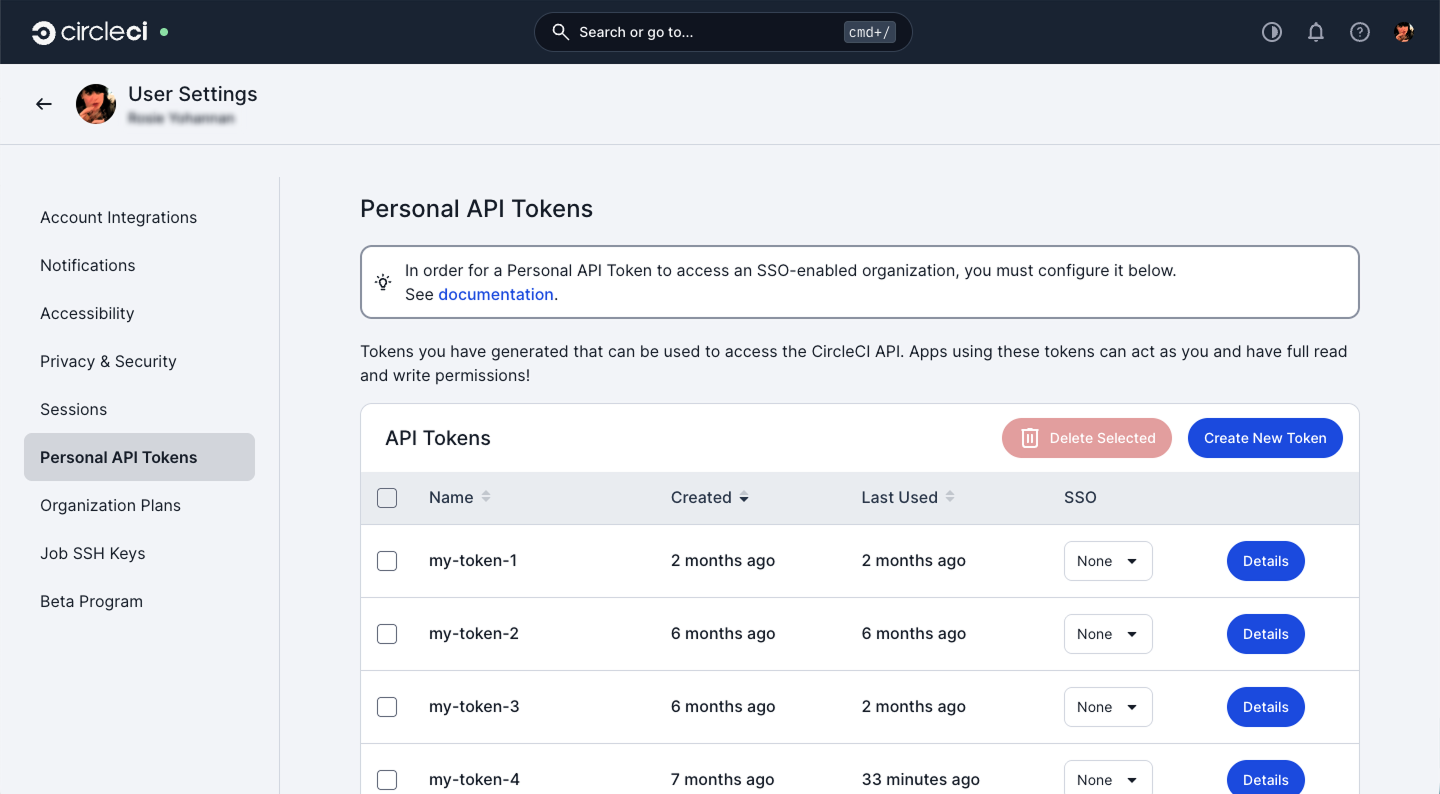
To connect Vantage to CircleCI, you need to create a personal API token.
-
Log in to the CircleCI web app.
-
Select your avatar at the top right of the screen and select User Settings from the menu.
-
Select Personal API Tokens.
-
Select Create new token.
-
Provide a descriptive name for the token (for example, "Vantage Integration").
-
Set an expiry date for the token. You must choose a date no more than one year in the future.
-
Select Add API Token.
-
Copy the token right away, as you cannot view it again.
2. Copy your organization ID
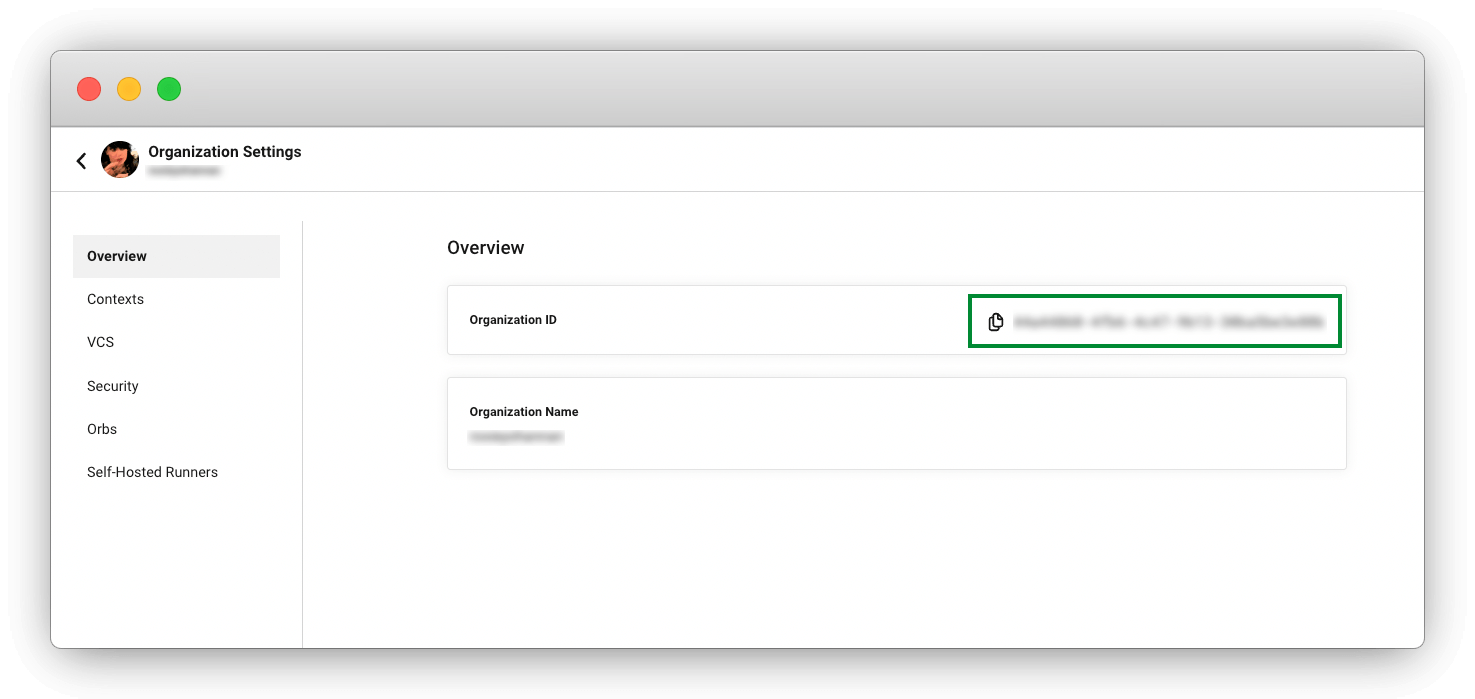
The organization ID is a unique identifier for an organization. Follow these steps to find it in the CircleCI web app:
-
In the CircleCI web app, select your org from the org cards on your user homepage.
-
Select Org from the sidebar to open your organization settings page.
-
Note the value or select the Copy icon next to the organization ID.
3. Configure the integration in Vantage
Connect your CircleCI organization to Vantage using your personal API token and organization ID.
-
Log in to your Vantage account.
-
Navigate to Settings, then select Integrations.
-
Locate and select CircleCI from the available Data Sources.
-
Select Add Organization.
-
Complete the integration form with the following information:
-
CircleCI API token: Paste the token you created in step 1.
-
Organization ID: Enter your organization ID.
-
Description: Provide a name to identify this connection (optional).
-
Price per credit in USD: Enter $0.0006, which is the standard price you pay (in US dollars) to purchase a credit. If you have an alternative pricing agreement, alter this value to reflect your contracted rate.
-
-
Select Connect Account.
-
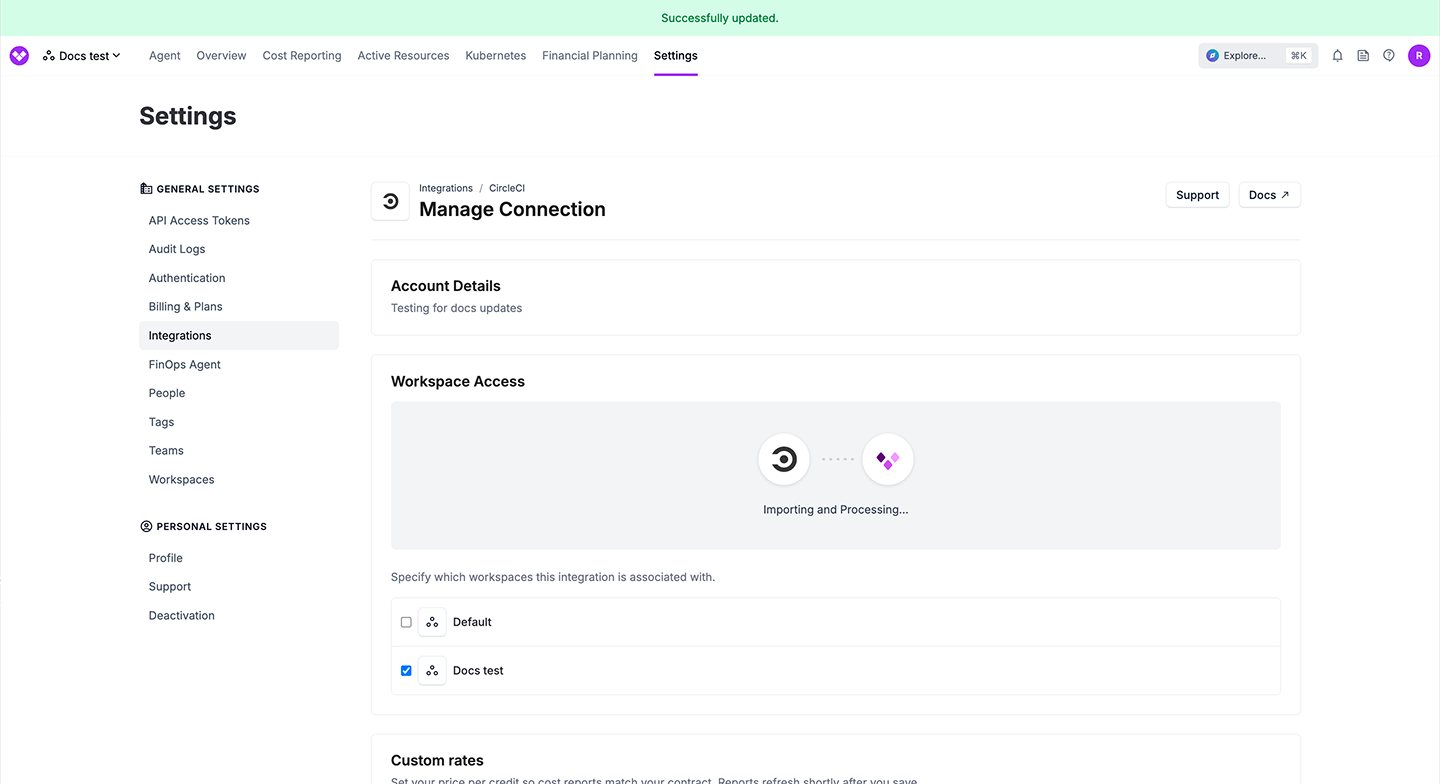
Monitor the import status on the integrations page.
Vantage begins importing your CircleCI usage data. The initial import includes the last six months of historical data.
If you encounter any issues getting set up, see Vantage’s integration configuration docs for troubleshooting steps.
4. View cost reports
Once you have connected your CircleCI organization to Vantage, you can create cost reports to analyze your CircleCI spending.
Cost reports in Vantage support filtering and grouping CircleCI costs by:
-
Billing Account: Your CircleCI organization name.
-
Account: CircleCI project name.
-
Service type: Compute, Storage, Users, Network, DLC, Lease, or IP Ranges.
-
Category and Subcategory: Resource class information.
-
Resource: Job name.
Vantage automatically applies tags to costs for more granular filtering, including:
-
Organization ID.
-
Project ID.
-
VCS details (branch, repository name, repository URL).
-
Pipeline ID.
-
Build status.
You can use these dimensions to allocate costs to specific teams, track spending by project, or identify optimization opportunities.
Refer to the Vantage Cost Reports documentation for detailed configuration instructions.
5. Allocate costs with Virtual Tags
Use Vantage Virtual Tags to allocate CircleCI expenses to teams and detect usage anomalies.
Virtual Tags allow you to:
-
Create custom cost allocation rules based on CircleCI metadata.
-
Group costs by team, department, or business unit.
-
Track spending across multiple projects and organizations.
Refer to the Vantage Virtual Tags documentation for detailed configuration instructions.