

Use dynamic test splitting
Dynamic test splitting reduces overall pipeline time by distributing test atoms across parallel nodes so all nodes finish at the same time. Unlike static test splitting, which pre-assigns tests upfront, dynamic test splitting redistributes work to nodes that are ready. Dynamic test splitting prevents nodes from sitting idle while others finish late.
Is my project a good fit for dynamic test splitting?
This section outlines several project features that indicate your project is a good candidate for dynamic test splitting:
Your test runner produces JUnit test results that are inaccurate
Static test splitting uses the durations reported in your JUnit results to split tests. If those durations leave out fixed costs, such as runner startup, per-batch overhead, or before/after hooks, the split is uneven and some nodes finish much later than others.
Dynamic test splitting learns the gap between reported and real runtime over time. It accounts for the fixed cost of running a batch and the overhead each test adds beyond its reported duration, resulting in a more even split.
Your test runner starts up quickly
If your test runner startup time is short compared to the test runtime, the overhead of running multiple batches is negligible. This can make your project a good candidate for dynamic test splitting.
For example, if your test runner takes ten seconds to start and your tests take 5 minutes to run, the overhead of running multiple batches is not significant. Conversely, if your test runner takes 2 minutes to start and your tests take just 3 minutes to run, the overhead of running multiple batches is significant.
Static test splitting runs all tests in a single batch. Dynamic test splitting runs tests across multiple batches.
Nodes start at noticeably different times
If your jobs have long container setup, dependency installation, or image pulls, each node’s startup time can vary between runs. Your tests across nodes will start and finish at different times. Dynamic test splitting redistributes tests to nodes that are ready.
Static test splitting pre-allocates tests to each node. Dynamic test splitting redistributes tests to nodes that are ready.
How it works
When you configure parallelism in your job and enable dynamic test splitting, Smarter Testing automatically:
-
Sorts tests by duration using timing data from previous runs, with longer tests prioritized first.
-
Gives the first node that is ready a full batch of tests, like static test splitting.
-
Gives each later-starting node a smaller batch size so all nodes finish at the same time.
-
Evenly distributes the remaining tests across all nodes.
Prerequisites
Before enabling dynamic test splitting, ensure you have completed the Getting Started With Smarter Testing guide and have:
-
Configured your
.circleci/test-suites.ymlwithdiscoverandruncommands. -
Verified your tests run successfully with the
testsuitecommand. -
Set parallelism greater than 1 for the test jobs that you want to split. See the Configuration Reference for more information.
| You can use the CircleCI Agent Skills get Smarter Testing set up. Install the CircleCI Public Skills plugin to your AI coding agent and ask your agent to get set up for Smarter Testing. |
1. Enable dynamic test splitting in your test-suites.yml file
Add the dynamic-test-splitting option to your existing test-suites.yml. Keep the existing discover and run commands in place.
---
name: ci tests
# ...
options:
  dynamic-test-splitting: true
2. Run
Use the doctor command to validate that your test-suites.yml is set up correctly. The CLI runs additional checks when dynamic test splitting is enabled. If any results look incorrect, an action item is provided to resolve it.
$ circleci testsuite doctor "ci tests"Follow the steps until all checks pass.
|
Run the The testsuite will look for the |
Commit .circleci/test-suites.yml to your feature branch and push to your VCS.
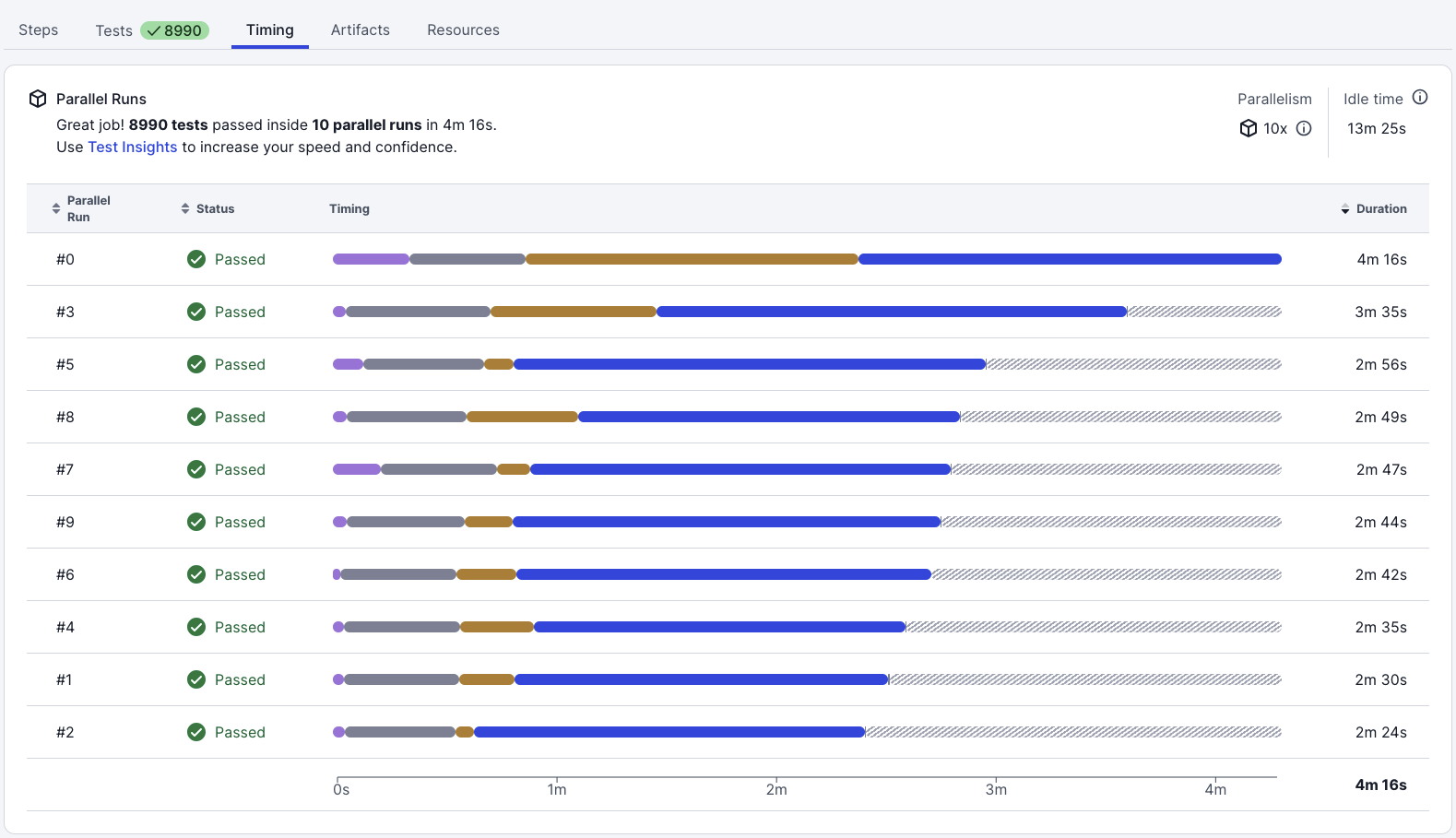
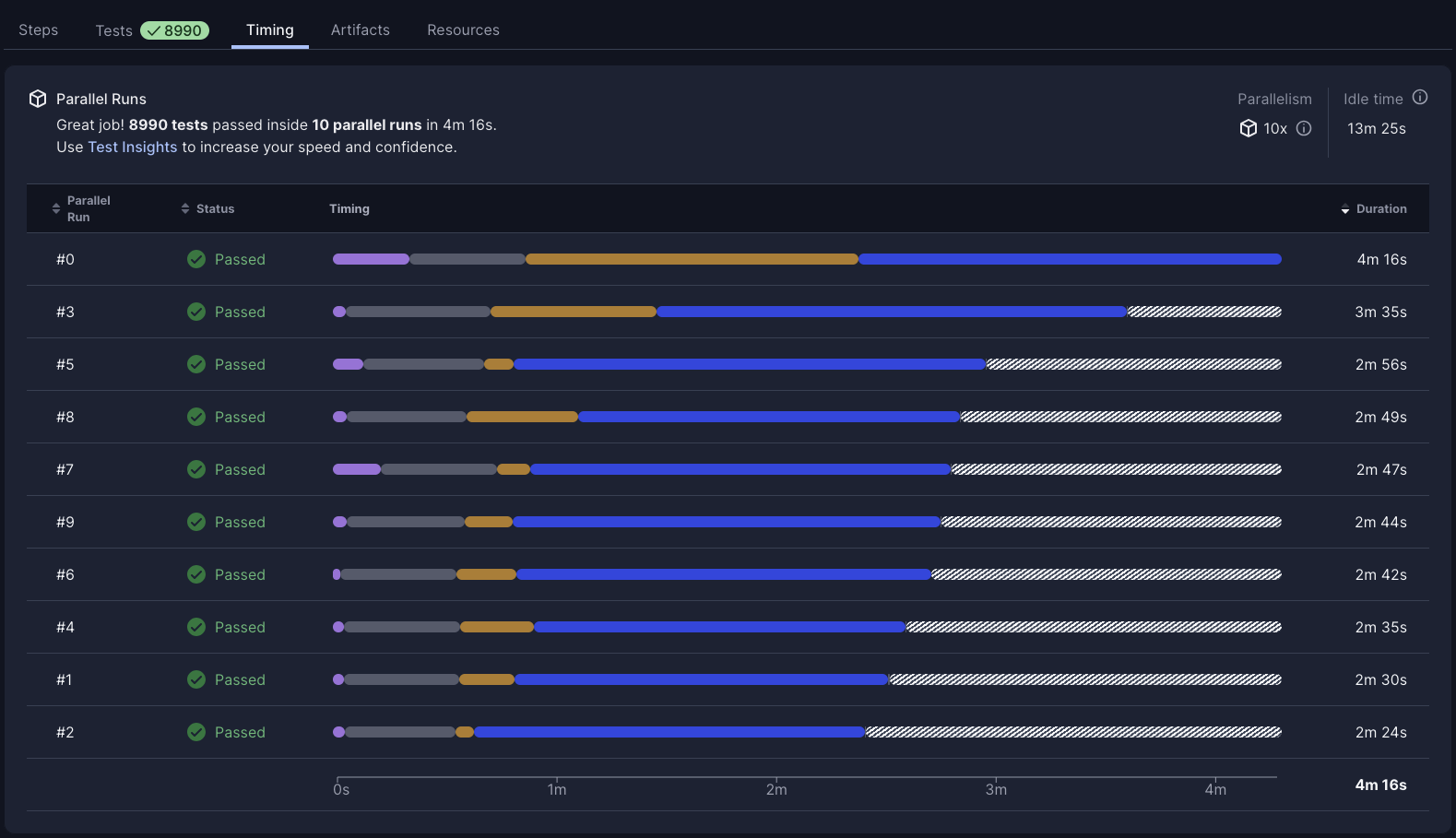
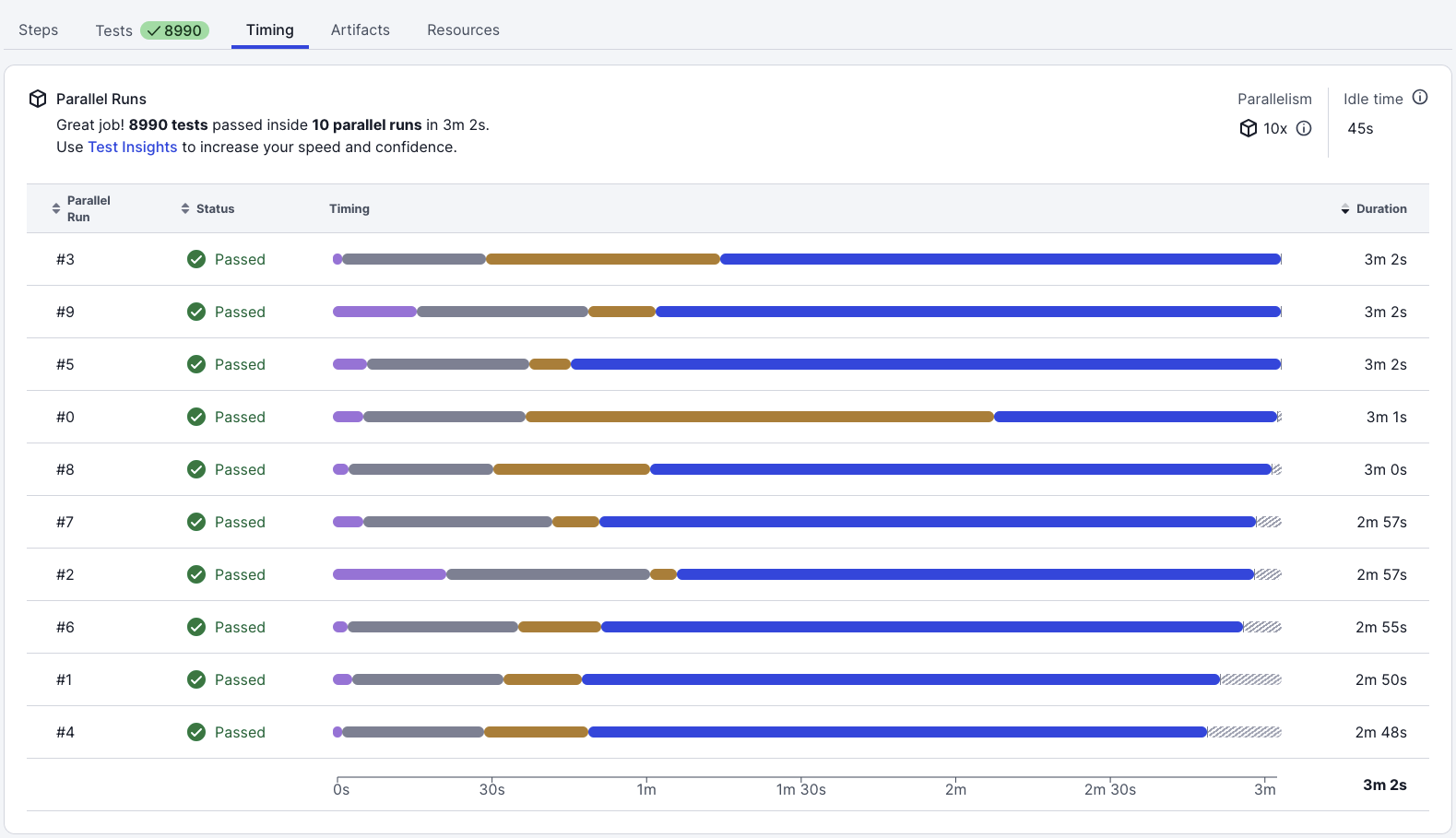
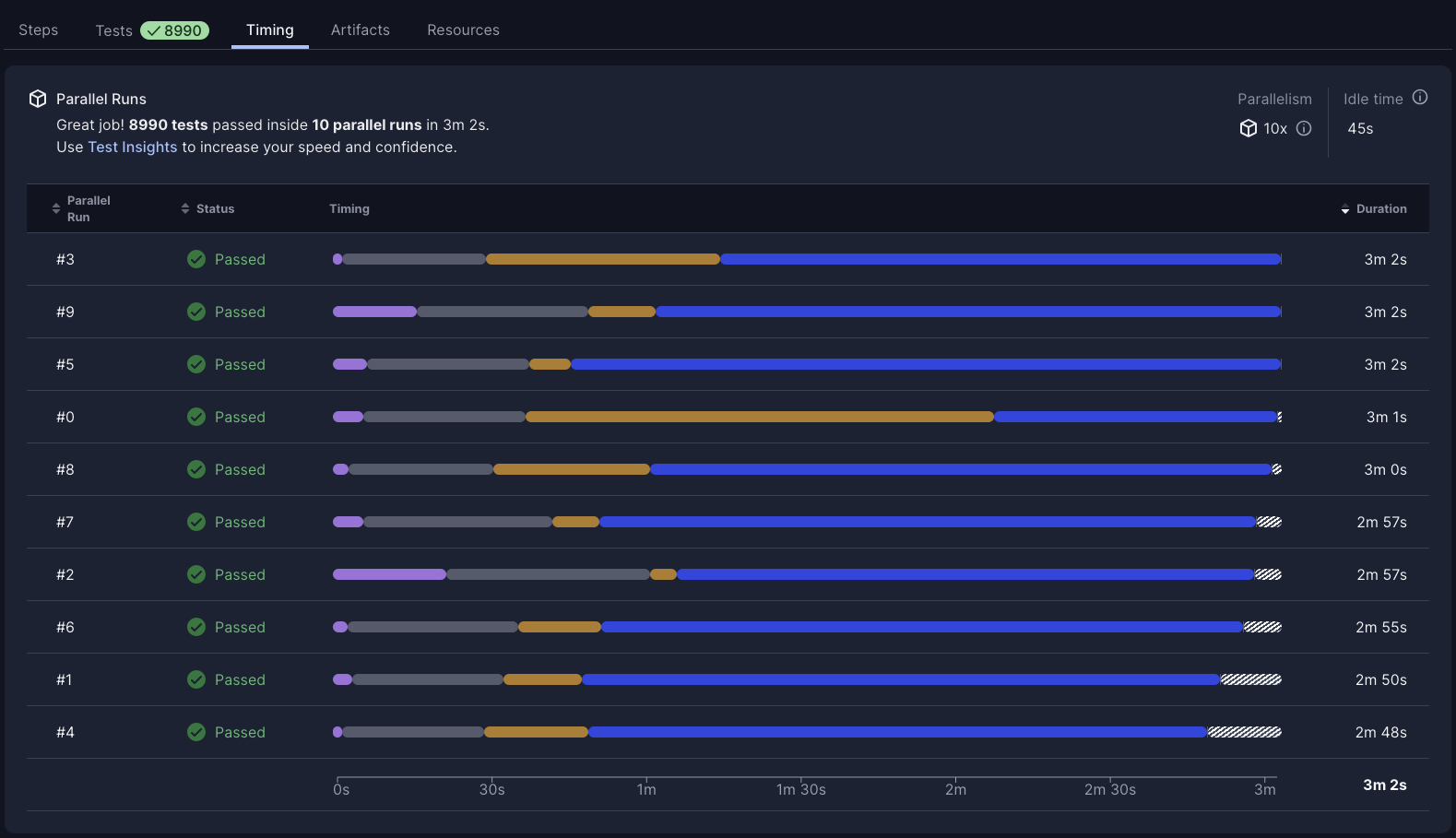
Verify dynamic test splitting is working as expected in CI by looking at the "timings" tab in the UI:
-
Navigate to your pipeline in the CircleCI web app and open the test job.
-
Open the Timings tab. Confirm that test distribution across nodes is more even than before enabling dynamic test splitting.
-
Check that no single node finishes significantly earlier or later than the others.
Next steps
-
Set Up Test Impact Analysis to run only impacted tests based on code changes.
-
Auto Rerun Failed Tests to automatically retry flaky tests.